VertiComply generates a healthcare application and then has to put it somewhere a person can actually open. That second half turns out to be the harder engineering problem, and most of its difficulty comes from a single constraint: a new deployment has to be live in seconds, not in a quarter of an hour. This is how the hosting layer is built, why it is shaped this way, and which parts we do not yet consider finished.
1. The Coffee-Break Problem
The obvious way to give every customer their own subdomain on AWS is to give every customer their own CloudFront distribution. It is clean, it isolates tenants at the edge, and each one can carry its own certificate. We did not do it, for one reason: creating a distribution takes between five and fifteen minutes before it reaches Deployed.
That number decides the architecture. A button labelled Deploy that takes twelve minutes to produce a URL is not a deploy button, it is a work order. Worse, the wait is unpredictable across that range, so the interface cannot even honestly tell someone how long to wait.
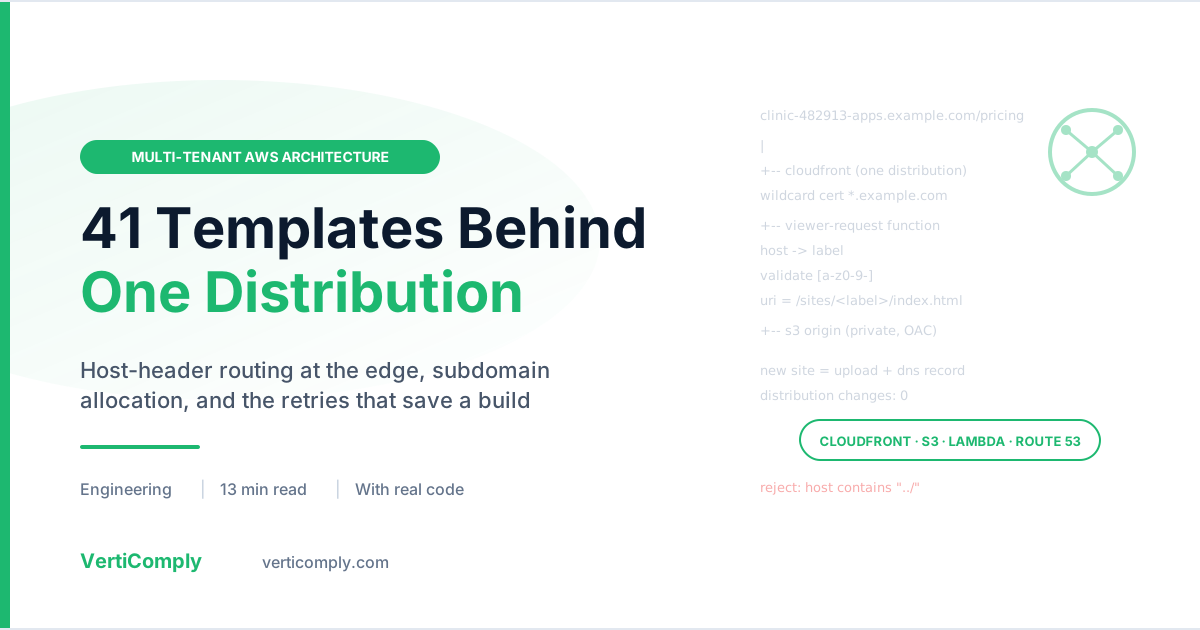
So the shape inverts. One distribution holds a wildcard certificate for *.example.com and serves every deployment. One S3 bucket holds every deployment’s files, each under its own key prefix. A CloudFront Function at the edge maps the incoming hostname onto the right prefix.
my-clinic.apps.example.com/pricing
  -> CloudFront (wildcard cert for *.apps.example.com)
  -> viewer-request function: Host -> /sites/my-clinic + SPA fallback
-> S3 origin: sites/my-clinic/index.htmlThe cost of the inversion is that tenant separation is no longer a property of the infrastructure. With one distribution per customer, AWS keeps deployments apart for you. With one shared distribution, the thing keeping them apart is a regular expression in a function, which is section three, and which is worth being nervous about.
2. Host Header to Key Prefix, at the Edge
The router is a CloudFront Function, not a Lambda@Edge. It runs at every edge location on every request, sub-millisecond, with no cold start. It also caps at 10 KB and has no network access, which is a useful discipline: it cannot call a database to resolve a hostname, so the mapping has to be derivable from the request alone.
It has two jobs and one rule.
function handler(event) {
    var request = event.request;
    var host = (request.headers.host && request.headers.host.value || '').toLowerCase();
    var label = host.split(':')[0].split('.')[0];

    // Reject anything that is not a plain DNS label before it reaches a path.
    if (!label || !/^[a-z0-9]([a-z0-9-]{1,61}[a-z0-9])?$/.test(label)) {
        return {
            statusCode: 404,
            statusDescription: 'Not Found',
            headers: { 'content-type': { value: 'text/plain' } },
            body: 'Unknown host'
        };
    }

    var uri = request.uri || '/';
    var last = uri.split('/').pop();

    if (uri.endsWith('/')) {
        uri = uri + 'index.html';
    } else if (last.indexOf('.') === -1) {
        // Extensionless: a client-side route, not a file. Serve the shell.
        uri = '/index.html';
    }

    request.uri = '/sites/' + label + uri;
    return request;
}
The first job is the prefix mapping. The second is the single-page-app fallback: an extensionless path is a client-side route rather than a file, so it gets the shell and the router in the browser takes over. That is what makes /patients/42 deep-link correctly instead of returning a 404 from S3.
The API path needs a second function, for a reason that is not obvious until it breaks. CloudFront reaches API Gateway through an origin request policy that rewrites Host to the origin’s own name, because API Gateway routes on Host and rejects a foreign one. By the time the request arrives, the customer’s hostname is gone, and the router has no idea which deployment it is looking at. So the original label is copied into a header CloudFront does not touch:
request.headers['x-verticomply-host'] = { value: label };The downstream router Lambda reads that in preference to Host, and uses it to pick the project’s own function.
3. The Validation Is the Whole Security Model
Both functions validate the label against [a-z0-9-] before it goes anywhere. This is not input hygiene. It is the entire boundary between one tenant and another, and it is worth spelling out why.
The Host header is caller-controlled. Anyone can send any value. The function takes that value and interpolates it into an S3 key path. An unvalidated label containing ../ is a path traversal that reads another deployment’s objects — and in a healthcare product, another deployment’s objects are another practice’s application.
The regular expression is deliberately the DNS label grammar rather than something looser: it must start and end alphanumeric, it permits hyphens in the middle, and it caps at 63 characters. Anything that is not a name DNS could have delivered is not a name we should be resolving to storage.
4. What a Deployment’s Name Is Made Of
A deployed site does not get the name the user typed. It gets this:
modular-ehr-core-demo-482913-apps.example.com
└──── what the user typed ────┘ └─id─┘ └suffix┘
Two things are appended, and the placement of each is load-bearing.
The six-digit id exists because names collide, in more ways than teams usually plan for: the same project deployed twice, two customers who both call theirs clinic, or a name freed by a deletion and immediately requested by someone else. That last one is the interesting case — without an id, a deleted site’s URL can be quietly inherited by whoever deploys next, and any link still pointing at it now lands somewhere new.
It is drawn with secrets, not random. The id is part of a public hostname, and a predictable sequence would let anyone enumerate every deployed site on the platform. It is drawn from a 900,000-wide range and never leading-zero, so it is always exactly six characters.
The suffix (-apps) marks the deployment namespace. It is what stops a customer claiming www, api, or mail in a zone that also carries real records. This is why the id goes before the suffix rather than at the end: the suffix is what identifies a name as belonging to the deployment namespace, and burying it mid-string would break that.
Two properties matter more than they look:
- Insertion is idempotent. A name that already carries an id is returned unchanged, so a redeploy or a name pasted back into the form never grows
clinic-123456-789012-apps. - When the 63-character DNS limit bites, the readable part is trimmed — never the id, which is what makes the name unique, and never the suffix, which is what keeps it out of the reserved namespace.
Allocation draws an id, checks the candidate against both our database and the live zone, and retries on collision. A refusal that is not a collision — a reserved word, or DNS being unreachable — stops immediately rather than spinning through attempts that will all fail the same way.
One consequence worth recording: a project keeps its address across redeploys because the create path looks up an existing deployment by project, not by name. With random ids the name would never match, a second row would be created, and the first row’s AWS resources would be stranded with nothing pointing at them.
5. Never Answer a Question You Did Not Ask
The subdomain field checks availability while you type. That check can fail in a way that is easy to paper over and expensive to get wrong.
Every result from the AWS layer carries a checked flag. If the zone is unconfigured, if Route 53 times out, or if IAM refuses the call, checked is false and a reason says which. Callers are forbidden from reporting Available off a result that was never checked.
When the zone is configured and the lookup fails, availability fails closed — the name is treated as unavailable. The reasoning: a name absent from our database can still exist in DNS, created by hand or by another environment sharing the zone. Handing it out because we could not reach Route 53 is exactly how two deployments end up fighting over one record.
Unconfigured is a different state and gets different words. Rather than silently claiming a verification that never happened, the field says “Available (not verified against DNS)”.
StartRecordName rather than a zone listing, with a five-second timeout and a single retry. An architecture that is correct but costs a full zone enumeration per keystroke gets removed from the form within a week.
6. Retrying the Weather, Not the Verdict
This one came from a real publish. Five steps of completed work — a compiled frontend, a scrubbed bundle, an uploaded site, a provisioned database — were discarded because one request did not survive the trip:
Deploying the backend — Connection was closed before we received a valid
response from endpoint URL: "https://lambda.us-east-1.amazonaws.com/..."

Our hosting provider is having a problem. Try again in a few minutes.
Nothing was wrong with AWS. And “try again in a few minutes” is a retry — just one performed by a person, several minutes later, after they have watched a build they waited for be thrown away.
Two things were wrong, and they needed separate fixes.
Why the large-package path never fired. Packages were routed through S3 only above 50 MB, and this one was under it. That threshold was wrong twice over. A Lambda ZipFile= upload is a blob inside a JSON body, so it gets base64-encoded: a 40 MB package is a roughly 54 MB HTTP request, already past the limit the code believed it was respecting. Measuring the zip against a limit that applies to the request is off by a third, in the direction that fails. And even a request that fits is one large POST to a control-plane API from wherever the deploy process happens to be running — anything in between that decides it has waited long enough will close it.
The routing threshold is now 6 MiB, nowhere near the ceiling. Small packages still go inline to save a round trip; everything else is staged in S3 for Lambda to fetch from inside AWS. If there is no bucket, or staging is denied, it falls back to inline, so a small app can still publish on a deployment without one.
And the general case. Every step that crosses the network — upload, database, api, dns, cache — is wrapped in a helper that goes again when what went wrong was the weather. Three things stop it becoming a loop:
- Only classified-retryable failures are retried. A denial, a name already taken, or a package genuinely too large gets the same answer however many times it is asked. Looping on those is worse than stopping, because the user waits three times as long for identical news.
- A fixed three attempts, with a growing backoff. The two things that produce a retryable failure want different waits: a dropped upload wants go again now, a throttle or a resource still settling wants a moment.
- The deadline. A deploy with four seconds of budget left does not sleep for five and then stop anyway.
The package build stays deliberately outside the retry helper. It is deterministic and it is the slow half, so rebuilding a zip because a socket closed spends minutes producing identical bytes.
The last detail is the wording. While a retry is in flight the user sees “The connection to AWS dropped partway. Trying again (2 of 3).” — emitted as a progress notice, not recorded as a step failure. A sentence that reads like a failure while the deploy is still working is what makes people close the tab, so there is a test asserting that string contains none of failed, error, sorry, or problem.
7. Ask Whether the Code Imports Before Creating Four AWS Resources
A deploy that ships unimportable code fails in the worst possible order. The build succeeds. The site uploads. A database is created. The function is created. And only then does the first invoke return Runtime.ImportModuleError. Everything up to that point is real — real S3 objects, a real database, a real Lambda — all belonging to a deployment that was never going to work, after several minutes of waiting to be told something went wrong.
So step zero of the deploy is a static check that takes milliseconds. It walks the package’s own source with ast and asks one question of every absolute import: is this name going to exist at runtime? There are three ways it can be — the standard library, a package the Lambda layer carries or the deploy vendors, or a module inside the package itself on one of the directories the generated handler puts on sys.path. Anything else is a ModuleNotFoundError waiting to happen on the first request, and it is better to say so now, by file and line.
What it deliberately does not flag is as important as what it does:
- Imports inside a
try:block are skipped. They are optional by construction. Several templates importopenaithat way and fall back to a rule-based path when no key is present; flagging those would fail eight working templates. - Relative imports are not checked. They resolve against the package rather than
sys.path, and Python’s own import machinery is the authority on them.
The ordering principle generalises beyond this one check. Steps are ordered so the cheap, reversible ones happen first, and nothing is published to DNS until the site and the API are actually in place — because a DNS record pointing at a half-built deployment is worse than no record at all.
8. What Is Not Finished
The hosting layer is built and being rolled out, not finished. Writing about architecture is easy to do dishonestly by describing the design and letting the reader assume the gaps are closed, so here are ours. These are known, tracked, and written into the deployment documentation under a heading that says nothing in it should be described to a customer as working.
- No per-tenant isolation between deployed applications. Every project Lambda currently runs under the same execution role, which means one deployment’s code can call anything that role permits. That is acceptable for demos and staging. It is not acceptable for PHI, and it is the gap that gates everything else.
- The API router’s front door is not authenticated at the edge. API Gateway sits in front of the router, but the route is open — a request that reaches the API Gateway URL directly bypasses CloudFront and the validation described in section three. Closing it needs either a Lambda authorizer or a shared-secret header injected by the CloudFront function and verified at the origin.
- The per-project database is built but not yet proven on a live function. Provisioning and VPC placement are implemented; two prerequisites live outside the code and have to be confirmed on the host first. Until one deployment has been round-tripped end to end, we treat it as untested rather than working.
- No cost controls. Nothing currently caps S3 storage, CloudFront egress, or Lambda invocations per tenant.
9. Frequently Asked Questions
Why not give each tenant its own CloudFront distribution?
Because creating one takes five to fifteen minutes before it reaches Deployed status, which turns a deploy button into a work order. With a single distribution holding a wildcard certificate, adding a subdomain is an S3 upload plus a DNS record and takes seconds. The trade-off is that tenant separation becomes a property of your edge function rather than of AWS, so that function has to be correct.
How does one CloudFront distribution serve many subdomains from one S3 bucket?
A viewer-request CloudFront Function reads the Host header, takes the first DNS label, validates it against the DNS label grammar, and rewrites the request URI to a per-tenant key prefix such as /sites/my-clinic/index.html. The distribution carries a wildcard certificate for the parent domain so every subdomain terminates TLS on the same distribution. The S3 bucket stays private and is reached through Origin Access Control.
Is routing on the Host header safe in a multi-tenant setup?
Only if the label is validated before it reaches a path. The Host header is caller-controlled, so an unvalidated value containing ../ is a path traversal that reads another tenant's objects. Validate against a strict DNS label pattern at the point the value enters, reject anything else with a 404, and apply the same check anywhere that value later selects a resource name.
Why use a CloudFront Function instead of Lambda@Edge?
CloudFront Functions run at every edge location with sub-millisecond execution and no cold start, which matters when the code is on the path of every single request. The constraints are a 10 KB size cap and no network access. For host-to-prefix mapping and an SPA fallback that is sufficient, and the no-network limit is a useful forcing function: the mapping must be derivable from the request alone rather than from a database lookup.
Why add a random id to each deployment subdomain?
Names collide: the same project deployed twice, two customers who both pick clinic, or a name freed by a deletion and immediately re-requested. The id also stops a deleted site's URL being inherited by whoever deploys next, so stale links do not silently land on someone else's application. Draw it with a cryptographic source rather than a standard PRNG, because a predictable sequence in a public hostname lets anyone enumerate every deployed site.
Should a deploy retry a failed AWS call?
Retry transient failures only, and classify before you decide. A dropped connection or a throttle is worth retrying; a permission denial, a name already taken, or an oversized package returns the same answer however many times you ask, so retrying those just makes the user wait longer for identical news. Bound the attempts, respect the remaining time budget, and keep slow deterministic work such as a package build outside the retry so a closed socket does not cost minutes rebuilding identical bytes.
What should a deploy check before it creates any AWS resources?
Anything that is cheap to verify and fatal at runtime. A static import check over the package source catches a ModuleNotFoundError in milliseconds, versus discovering it after an S3 upload, a database, and a Lambda have all been created for a deployment that was never going to run. More generally, order the steps so cheap reversible work happens first and publish DNS last, because a record pointing at a half-built deployment is worse than no record.
Last reviewed 16 September 2026. This describes the hosting architecture as built and currently rolling out; section 8 lists the gaps we consider open. Hosted deployments are intended for demos and staging rather than PHI workloads until per-tenant isolation is in place.