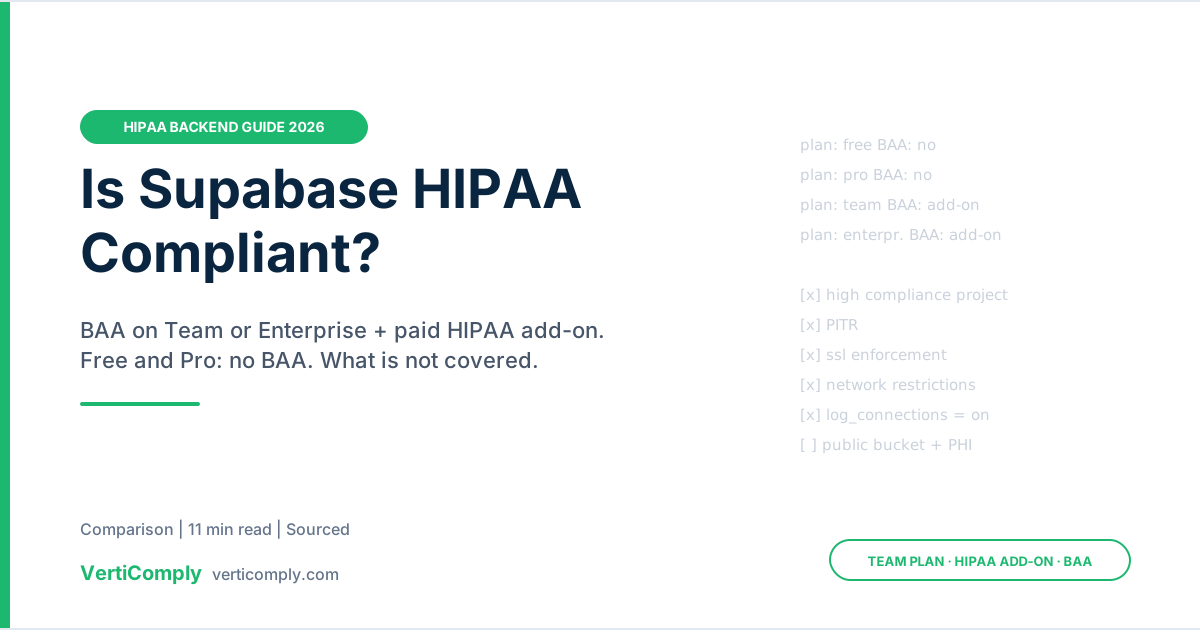
Yes, but only on the right plan and only after you configure it. As of October 2026, Supabase signs a Business Associate Agreement (BAA) with organizations on the Team plan (from $599/month) or Enterprise that add the paid HIPAA add-on; the Free and Pro plans have no BAA path. Signing the BAA does not make a project compliant by itself: Supabase’s own documentation lists settings you must turn on (point-in-time recovery, SSL enforcement, network restrictions, connection logging, MFA) and things you must not do, such as storing PHI in public Storage buckets. This guide covers the plan, the add-on, what Supabase does and doesn’t commit to, the setup checklist, and what to check if your app was generated by Lovable or a similar AI builder.
1. The Short Answer, With Sources
Everything below comes from Supabase’s own pages, checked on 12 October 2026.
| Question | Answer today | Source |
|---|---|---|
| Does Supabase sign a BAA? | Yes. Supabase acts as a business associate; you sign its BAA | Supabase: HIPAA compliance |
| Minimum plan | Team. “You will need to be at least on the Team Plan to sign a BAA with us” | Shared responsibility model |
| Add-on needed? | Yes. HIPAA is a paid add-on on Team and Enterprise | Supabase pricing |
| Add-on price | Not published on Supabase’s pricing page (see section 2) | Supabase pricing |
| Free or Pro plan | No HIPAA, no BAA | Supabase pricing |
| Self-hosted Supabase | Not covered; the HIPAA controls are on the hosted platform only | Supabase: HIPAA compliance |
| Per-project setting | Mark each PHI project as “High Compliance” in project settings | Supabase: HIPAA projects |
| Audits | SOC 2 Type 2; HIPAA controls audited in the same annual period | Supabase: HIPAA compliance |
2. Which Plan, and What It Costs
There are three separate things you need, and teams often stop at the first:
- The Team plan or Enterprise. Supabase’s pricing page lists Team “from $599/month” and marks HIPAA as “available as paid add-on”. Enterprise is custom-priced, with HIPAA also a paid add-on. Pro (from $25/month) and Free don’t offer it.
- The HIPAA add-on and a signed BAA. Supabase’s HIPAA projects guide says organizations “must have a signed BAA with Supabase and have the HIPAA add-on enabled when dealing with PHI,” and points to a request form to start the BAA process. Supabase’s invoice documentation treats the add-on as a fixed fee billed in advance, separate from usage.
- Compute big enough for point-in-time recovery. PITR is a required setting, and Supabase says it “requires at least a small compute add-on.” That is another line on the bill.
3. What Is NOT Covered
The question people most want answered is which Supabase features sit outside the HIPAA scope. Here is the honest position: Supabase does not publish a public list of BAA-excluded services. Its HIPAA pages, healthcare solutions page and 2023 launch post don’t name which products (Edge Functions, Realtime, Storage, logs, the dashboard AI assistant) are inside or outside the BAA. What Supabase does state explicitly:
| Not covered / not allowed | What Supabase says | Source |
|---|---|---|
| Free and Pro plans | No HIPAA add-on, so no BAA | Pricing |
| Projects not marked High Compliance | The BAA and add-on are per organization; each PHI project must be set to High Compliance | HIPAA projects |
| Public Storage buckets | “Not storing PHI in public Storage buckets” is listed as your responsibility | Shared responsibility |
| Transferring a project out | “Not transferring projects to a non-HIPAA organization” | Shared responsibility |
| Self-hosted Supabase | Outside the scope of Supabase’s HIPAA documentation | HIPAA compliance |
| Third-party services you call | Not Supabase’s BAA. Email, SMS, AI and analytics providers each need their own BAA with you | 45 CFR 164.502(e) (below) |
Because the product-level scope isn’t public, read the BAA you are sent and ask Supabase in writing, before go-live, about each component your app actually uses:
- Edge Functions, including their console output and invocation logs. A
console.log(patient)puts PHI in a log. - Realtime channels and Presence payloads.
- Storage, including signed-URL lifetimes and image transformations.
- Log retention and the Logs Explorer: who on your team can see query text and request bodies.
- The dashboard AI assistant and SQL editor helpers, if anyone will use them on PHI tables.
- Branching and preview environments, if real data could ever be seeded into them.
- Backups and read replicas, including region.
Anything not named in the BAA should be treated as outside it. That is the same rule we give for every platform in our BAA vs HIPAA explainer.
4. Shared Responsibility: Who Does What
HIPAA requires a written BAA before a vendor can create, receive, maintain or transmit PHI for you (45 CFR 164.502(e) and 164.504(e)). The BAA settles the contract question. It doesn’t settle whether your application protects PHI. Supabase’s HIPAA page splits it like this:
| Supabase (business associate) | You (covered entity or business associate) |
|---|---|
| Directly liable for certain HIPAA provisions, including safeguarding ePHI and reporting breaches to you | Your own Privacy, Security and Breach Notification Rule compliance |
| Administrative, physical and technical safeguards set out in the BAA | Configuring each HIPAA project and acting on Security Advisor warnings |
| BAAs with its own vendors that may access ePHI | BAAs with every other vendor in your app’s data path |
| Encryption at rest and in transit | Row Level Security policies, roles, application audit logs, session handling |
| Monitoring for disabled controls between audits | Monitoring your own HIPAA environment between audits |
The second column is where most of the work is. Encryption at rest is handled for you; whether a nurse can read another clinic’s patients depends on your Row Level Security policies, which Supabase can’t write for you. Our guides to PHI encryption and audit logging cover what an assessor will ask about.
5. Setup Checklist for a HIPAA Project
The first eight items come straight from Supabase’s HIPAA projects guide and shared responsibility model. The rest are what we check on any Postgres backend that holds PHI.
- Move the organization to Team or Enterprise and request the HIPAA add-on.
- Sign the BAA before any real patient record is created. Keep a copy with your compliance records.
- Enforce MFA for every member of the Supabase organization, and require it at the organization level.
- Mark the project High Compliance in General Project Settings so Supabase runs its extra checks.
- Enable point-in-time recovery (needs at least the small compute add-on).
- Turn on SSL enforcement so no client can connect without TLS.
- Enable network restrictions so only your application’s IP ranges can reach Postgres directly.
- Keep Postgres connection logging on. Supabase notes that
log_connectionsis off by default for new projects; the Security Advisor warns when it is off. - Enable RLS on every table in exposed schemas, and write policies per role. Test them with a second user account, not the service key.
- Keep the service_role key server-side only. It bypasses RLS. It should never appear in a browser bundle or a mobile app.
- Use private Storage buckets with short-lived signed URLs for anything a patient uploads.
- Add an application audit trail (who viewed or changed which record) in a table normal users can’t modify. Connection logs alone don’t answer “who opened this chart?”
- Strip PHI from logs in Edge Functions and anywhere else you print request bodies.
- Use synthetic data in development, branches and preview environments.
- Re-check the Security Advisor after every schema change and on a schedule. Supabase is explicit that compliance is continuous, not a one-time check.
6. If Your App Was Built With Lovable, Bolt or Another AI Builder
Many AI-generated apps end up on Supabase. Lovable, for example, connects to a Supabase project you own (its built-in Cloud backend is the default, and Lovable notes there’s no one-click migration between the two). Three things are worth knowing:
- Your Supabase BAA covers Supabase, not the builder. If the builder’s editor, agent or preview environment can read your production data, that tool is handling PHI too, and needs its own BAA or must be kept away from real data. Our Lovable and Bolt playbooks go through this per tool.
- Generated RLS policies are a starting point. Check every table. A common pattern in generated code is a policy like “authenticated users can read”, which lets any signed-in patient read every row.
- Look for the service key in client code and for PHI in Edge Function logs. Both are easy to miss when you didn’t write the code yourself.
Our HIPAA gap list for vibe-coded apps has the full set of checks, most of which apply to any Supabase project.
7. Alternatives If the Team Plan Doesn’t Fit
| Option | Fits when | Trade-off |
|---|---|---|
| Supabase Team + HIPAA add-on | You already use Supabase and want to keep Auth, RLS and the client SDKs | $599/month plan floor plus add-on and compute; product-level BAA scope to confirm with Supabase |
| Managed Postgres on a hyperscaler (for example Amazon RDS, Cloud SQL or Azure Database for PostgreSQL) | You can run your own API and auth, under the cloud provider’s BAA | You rebuild what Supabase gave you (auth, storage policies, APIs). Check each service is on the provider’s HIPAA-eligible list |
| Another backend vendor that signs a BAA | You want a managed backend at a different price point | Compare plan minimums and BAA scope; see our list of platforms that sign a BAA |
| Keep PHI out of Supabase | The app can work without identifiable health data | Appointments, names and contact details linked to a condition are PHI; this is harder than it sounds |
VertiComply is one more option: it generates full-stack healthcare apps (web and native iOS/Android) with encryption, audit logging, role-based access and session timeouts built in on every plan, and signs a BAA on request on all paid plans (Pro $89/month, Business $249/month, Enterprise $349/month; not on Free). Pro and above include code export, so you can run the code on your own BAA-covered cloud. VertiComply does not hold a SOC 2 or HITRUST attestation, so if your buyer requires one from every vendor, factor that in. Our BAA page sets out the terms.
Frequently Asked Questions
Is Supabase HIPAA compliant?
Supabase’s hosted platform can be used for PHI if your organization is on the Team plan or Enterprise, has the paid HIPAA add-on, has signed Supabase’s BAA, and has configured each project to Supabase’s HIPAA requirements. On the Free or Pro plan, or self-hosted, it is not covered. Compliance also depends on your own access controls and policies.
Does Supabase sign a BAA on the Pro plan?
No. Supabase’s documentation says you need to be at least on the Team plan to sign a BAA, and its pricing page lists HIPAA as a paid add-on only on Team and Enterprise. As of October 2026, Team starts at $599 per month.
How much does the Supabase HIPAA add-on cost?
Supabase’s pricing page lists HIPAA as a paid add-on but did not show a price as of 12 October 2026. Third-party articles quote $350 per month, which we could not confirm on a Supabase page. Ask Supabase for a written quote, and budget for the Team plan and the compute add-on that point-in-time recovery needs.
Which Supabase features are not covered by the BAA?
Supabase does not publish a list of excluded features. It explicitly says not to store PHI in public Storage buckets or transfer HIPAA projects to non-HIPAA organizations, and self-hosted Supabase is outside its HIPAA scope. Confirm in writing whether Edge Functions logs, Realtime, Storage, branching and the dashboard AI assistant are covered for your use.
Is a Lovable app on Supabase HIPAA compliant?
Not automatically. A Supabase BAA covers the Supabase project only. The app builder, any preview environment, and every third-party service the app calls need their own BAA or must never touch PHI. You also need to review the generated Row Level Security policies and keep the service key out of client code.
Last reviewed 12 October 2026. Supabase’s plans and HIPAA terms change; check its pricing page and HIPAA documentation for the current position. Nothing here is legal advice on whether HIPAA applies to a specific product.